Using Basecamp for Quality Assurance Reporting

Quick Tip!
A Testing Plan is necessary before you report on quality assurance test results. Read this article to get a basic understanding of how quality assurance is handled at the Digital Corps.
Helpful Staff for this Topic

What is our process?
As with other processes at the Corps, steps for Quality Assurance (QA) Testing will vary for each project. Generally speaking, the steps include:
- UX team evaluates a system
- UX team reports bugs in Basecamp
- UX, Design and/or Development teams meet to discuss bugs and identify best path forward
- Development and Design teams fix bugs
This process is repeated as needed until the system is functioning as intended.
The bugs are added to Basecamp so the project team can quickly view specific errors within a project. Since each project is different, there is not one correct way to format the bug lists, however there are several important considerations to keep in mind.
Keep the tasks simple but don’t leave important information out.
Sometimes, it can be difficult for a UX Team member to succinctly describe an issue, especially when that person is not familiar with application development. When bug list tasks are created Basecamp, follow these guidelines:
- Always aim for succinct task names; these lists are often long and they should be scannable.
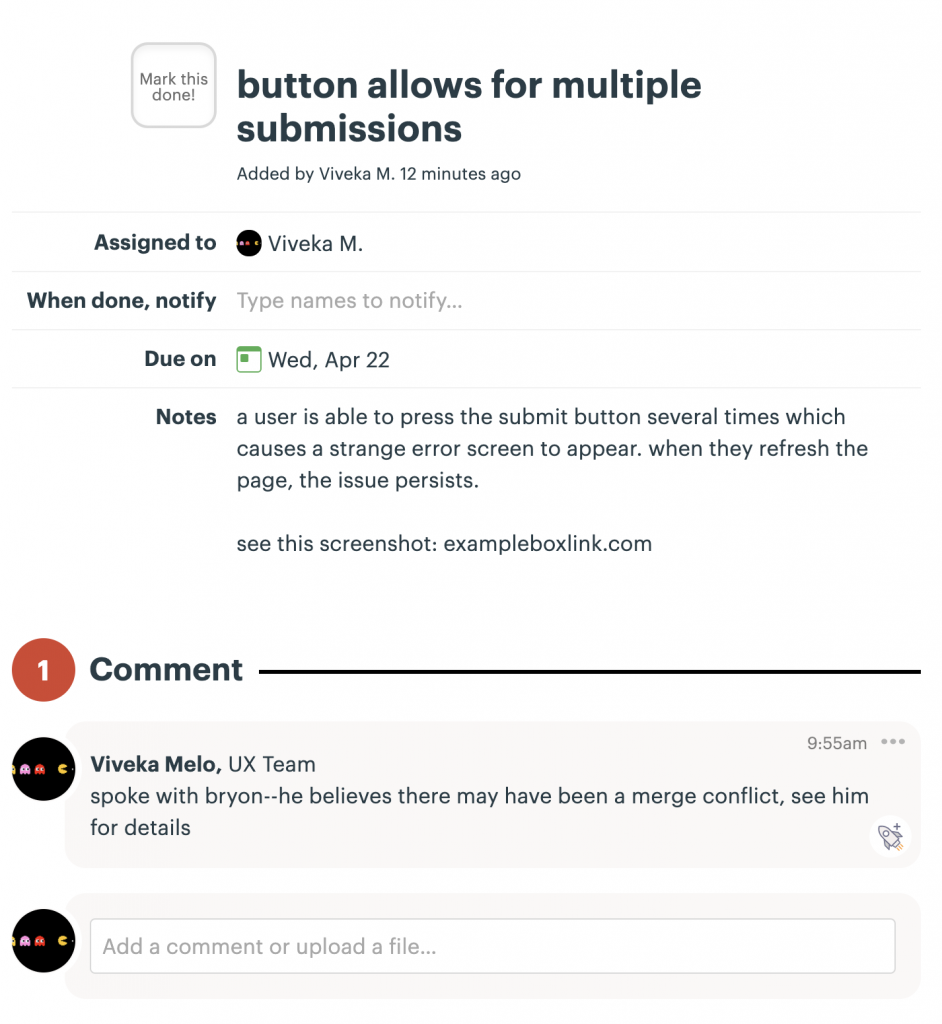
- If it is a complex issue, provide a concise description and then provide additional context in the “notes” section. This includes any screenshots or documentation of the issue.
- If conversations happen that do not include the whole team, document any relevant information in the “discussion”/”comment” section.
Example Task:
Organize tasks in a way that makes sense for the project.
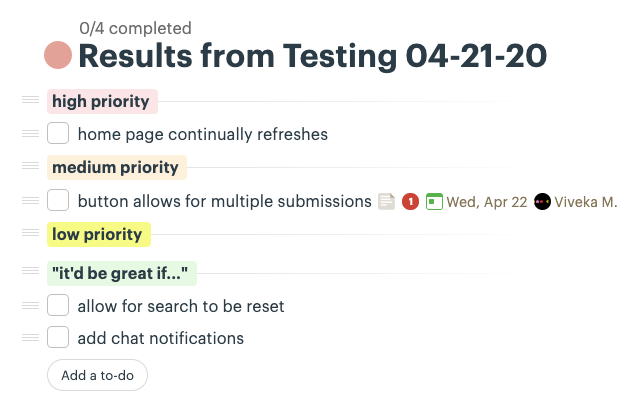
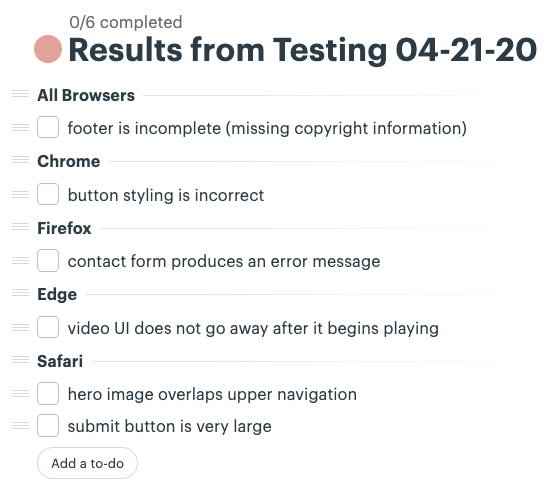
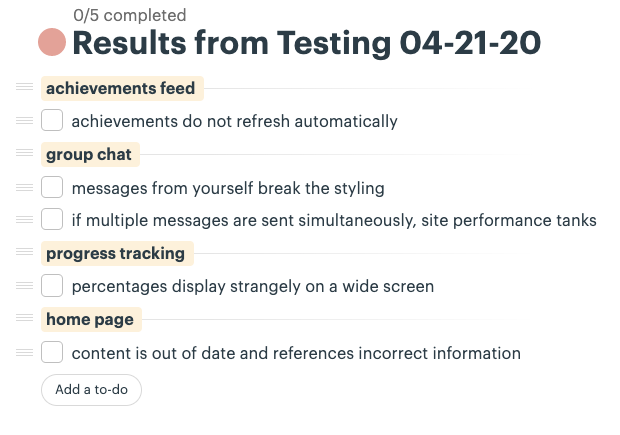
Basecamp can group tasks together, which is a fantastic way to keep issues organized in a clean and readable way. Think of these as sub-lists within a single bug list.
Depending on the form and function of the project, there are several effective ways to organize tasks using groups.
Here are just a few examples:
- By priority
- By device or browser
- By section of the system
Example Groupings:
No one specific grouping method is the best. Instead, try different methods for different teams and determine what works best. Think about the type of testing you conducted to determine the best organization structure for the project.
