Ball State University Assets

Quick Tip!
If you’re ever unsure about whether you’re using an asset correctly you can cross-reference with Ball State branding guidelines!
Helpful Staff for this Topic


Introduction
In this article, you will be given quick and easy access to some of the most used assets throughout the Ball State brand along with guidelines on how to use them properly.
Logos
When using logos please remember:
- Never use a black logo on a red background.
- Never use a red logo on a black background.
- Do not change the colors of the logo to any color combinations outside of what is shown in this article.
Ball State Horizontal Logo


Ball State Vertical Logo
When there isn’t enough room to place the full horizontal logo, or if you’re looking for a smaller alternative, opt to use the vertical logo.


Departmental Unit Marks
Each department at Ball State has their own “unit mark” which can be used for projects dealing with a particular part of campus. The Digital Corps does not have access to all of these unit marks. Staff will arrange access to departmental marks with Marketing as needed.
IT Logo (Information Technology)


Digital Corps Logo


Fonts
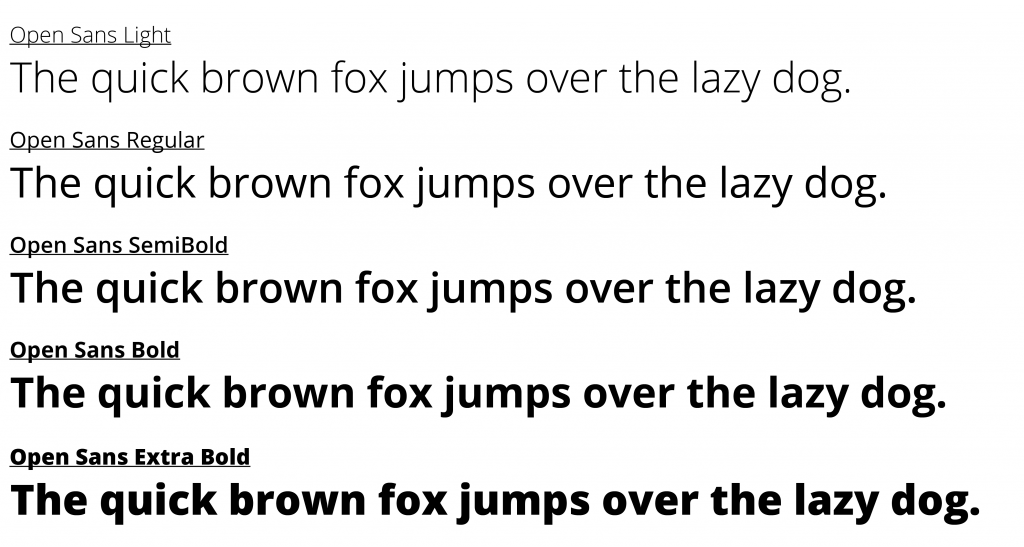
Ball State uses two fonts, one for web content and one for print.
Web Content: Open Sans
Print: Helvetica Neue
Open Sans can be found and downloaded from Google Fonts here:
https://fonts.google.com/download?family=Open%20Sans
Colors
Ball State branding primarily uses four colors: black, gray, red, and white. There is a color option for light gray, but this is only used when working on the web.
When using Ball State colors, remember that RGB is used for digital, CMYK is used for printing, and HEX is for the web only.
The colors are different between the three color types. For instance, when you see the red used at Ball State you will notice that the CMYK version is much more saturated than RGB and HEX. This is because its light value is much higher, and when the ink prints it will be darker. We therefore wouldn’t want to use CMYK for video assets.
In the blacks, you can see that the CMYK black is a dark gray, and in the gray, you can see the CMYK is a blue-gray.


Creative Cloud Library
At the Digital Corps we have a Creative Cloud Library that contains the assets that are discussed in this article. To obtain access to this library, you’ll need to contact Riley and give him the email associated with your Adobe Creative Cloud account.
Once you have access, you are able to use colors, images, social media icons, and logos easily from your Adobe programs.
Something to keep in mind is that when using logos from the Creative Cloud Library you will have the option to “Place Linked” or “Place Copy.” The difference between the two is that when you “Place Linked” you are placing a non-editable reference to the logo stored in the library. When a “Place Linked” asset is updated in the Adobe Library it will automatically update wherever it is in use. When you “Place Copy” you are placing a copy of the logo that is editable, and won’t change if updated in the Adobe Library.
Conclusion
University Marketing and Communication updates these assets over time, and all are subject to change. When the assets change we will keep the article updated with the most recent logos, fonts, and colors.
