UX Methods: Executing

Quick Tip!
At the start of creating a product, be sure to keep a user-centered focus in your implementation. This ensures the best usability for stakeholders.
Once a team has sufficient results from user and empathy research, they can start creating a solution to the problem space. Oftentimes at the Digital Corps, solutions are prescribed due to client needs. However, this does not mean that a team cannot have a user-centered solution. The UX team uses design thinking and other UX processes to ensure a product is created that best fits the needs of users and stakeholders.
UX Methods for Executing
Wireframes
The UX team works closely with the design team to create wireframes of a product. Wireframes are a visual representation of the layout of the solution. Depending on the fidelity, wireframes can also include pictures and text that will be included in the final product.
Wireframes at the Corps are typically low-fidelity, meaning they contain placeholder text and images, but contain elements that will be finalized in further prototypes and wireframes. Low-fidelity wireframes do not apply a style guide, and often use place holder images and text. The purpose of low-fidelity is to act as a blueprint for further designs. High-fidelity, in contrast, would follow the style guide, and contain text and images as they would appear on the site. These wireframes will look similar to the final developed product. High-fidelity wireframes that apply the style guide would be considered mid-fidelity mockups.
This is typically the first step of the execution process for applications and websites. It is important to follow usability and accessibility principles when creating wireframes, as these will be used as the foundation for the final design. Wireframes can take 1-1.5 weeks depending on the size of the system that is being designed.
Mockups
After wireframes, UX can work with designers to create high-fidelity mockups in Figma. Mockups should be a representation of the final design and should include the final layout, style guide, and content. This can guide developers on exactly what to create. High-fidelity mockups are similar to high-fidelity wireframes, but completely encompass which elements will be in the final developed product. Typically, the UX and Design teams will create low-fidelity wireframes, then move into high-fidelity mockups once the style guide and content is approved. UX testing methods can be used on mockups before moving into further processes to evaluate usability and accessibility. 1-2 weeks is usually enough time to create mockups.
Prototyping
Multiple types of prototyping are used at the Digital Corps in the execution phase. Prototypes are used for either testing or demonstration. Choosing a prototyping method will depend on the type of interactions involved in the project.
Paper Prototypes
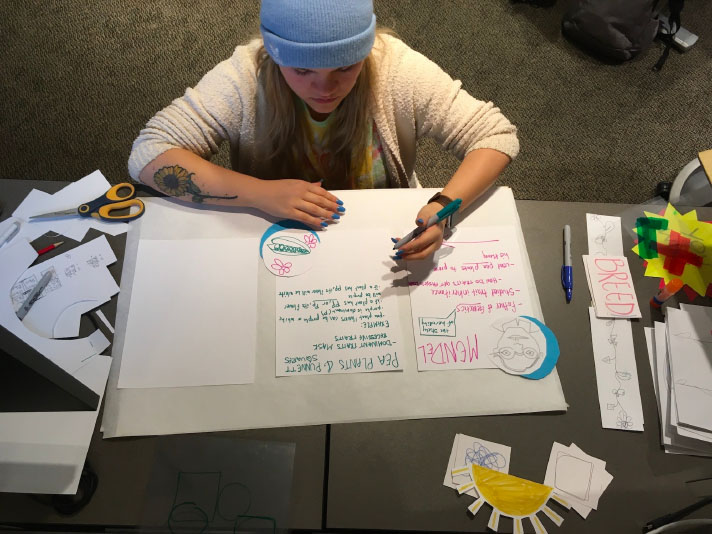
Paper prototypes are a way to show the interactions and screens of a product through paper. A proctor would be there to facilitate interactions as a user interacts with the paper interface. This type of prototype is not done for all projects, but is helpful for projects with more complex interactions. In the past, the Digital Corps has used paper prototypes for testing the large touch wall and touch table project, as it was helpful to show off ideas and test the concepts to scale with the touch table and wall. Paper prototypes are intricate and can take up to 2 weeks to complete.
Digital Prototypes
The UX team can also create functional digital prototypes of a project. This is done with the mockups in Figma, to show connections between pages and the overall navigation through the product. This is sometimes added to the mockup process to ensure everyone agrees on functionality before development. If mockups are already created, it should only take 2-3 days to add prototype functionality.
A/B testing
A/B testing is done by conducting usability testing on two different designs to see which option is better for the users. Typically designs are similar, but have differences that may affect how a user interacts with a system. A/B testing can be done with any type of prototype, or even just with printed or digital versions of mockups. A/B testing is used to make an informed decision in the best solution for the user. The timeline needed for A/B testing will depend on how long mockups of both options will take, and on the availability of participants.
Transitioning into Evaluation
As a team finalizes their product, the UX team uses a few methods to transition into evaluation.
Usability Testing
Usability testing is putting a design, prototype, or finished page/product in front of users to see if they can use it easily. In this type of testing, users complete tasks on the site and evaluate the site while doing so. Ideally, usability testing would happen at different points throughout the execution phase of a project. Usability testing allows for better products and finds design problems from the perspective of the user sooner rather than later. Usability testing can take 1-2 weeks, depending on how many participants will complete testing.
Quality Assurance Testing
Once a product or page has been built by the development team, it is tested for functionality. The development team should test their pages before they get to the UX team, but UX team checks for functionality, content, and quality of each aspect of the product. This is crucial before moving on to another point in the project, as small things may be overlooked in regular interactions with the site. Quality assurance testing takes 3-5 days depending on how large the product is.
