Hootsuite

Quick Tip!
When you schedule social media posts on Hootsuite, make sure to check spelling and the scheduled time and date.
Helpful Staff for this Topic

What Is Hootsuite?
Hootsuite is platform for managing social media accounts. It allows users to schedule social media posts, view their analytics and engagement, and view multiple accounts in one location.
Why Does the Digital Corps Use Hootsuite?
The Digital Corps mainly uses Hootsuite to schedule social media posts. The Corps has Facebook, LinkedIn, and Twitter accounts connected to Hootsuite to easily manage the three accounts in one location. These accounts are organized into streams, so the accounts are lined up next to each other.
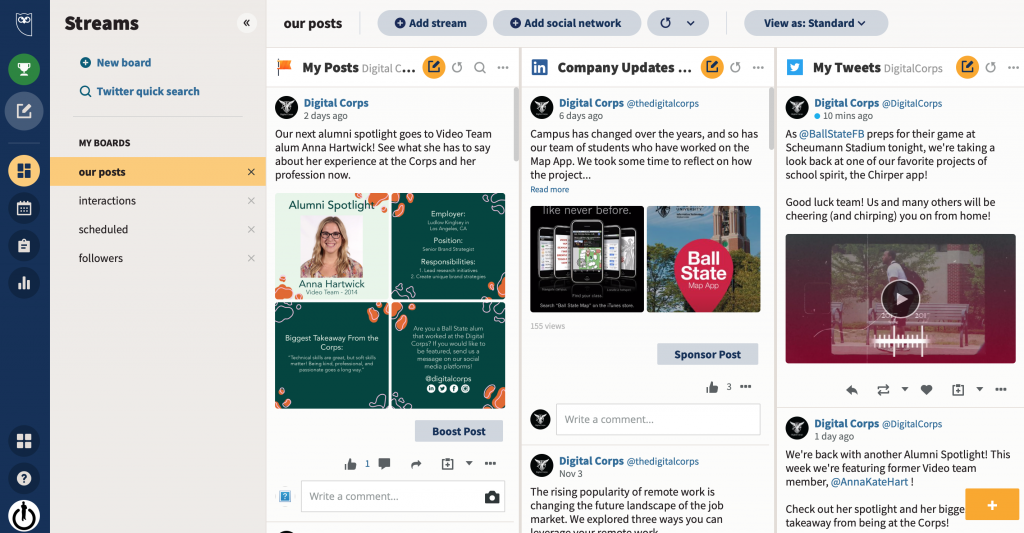
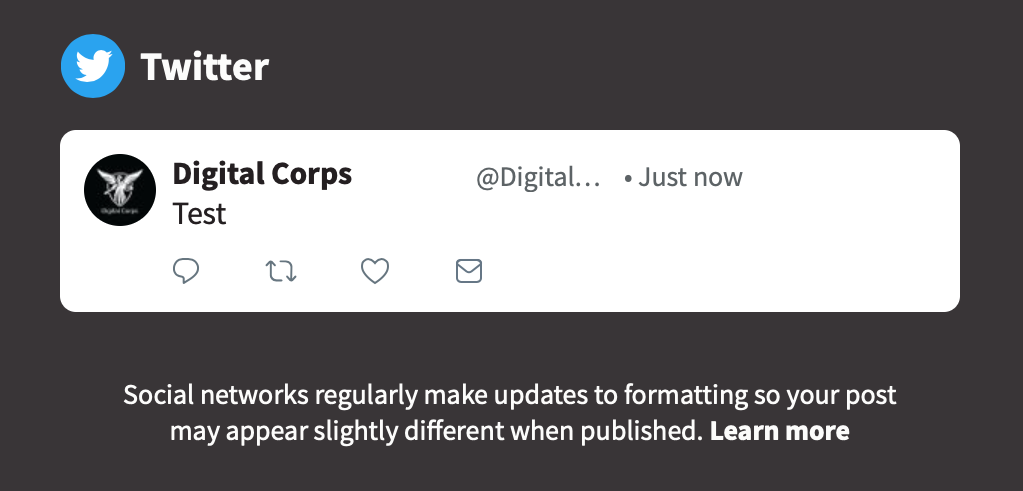
Hootsuite also shows previews of what posts will look like once they are posted on their platform.
How Does the Digital Corps Use Hootsuite?
Boards and Streams
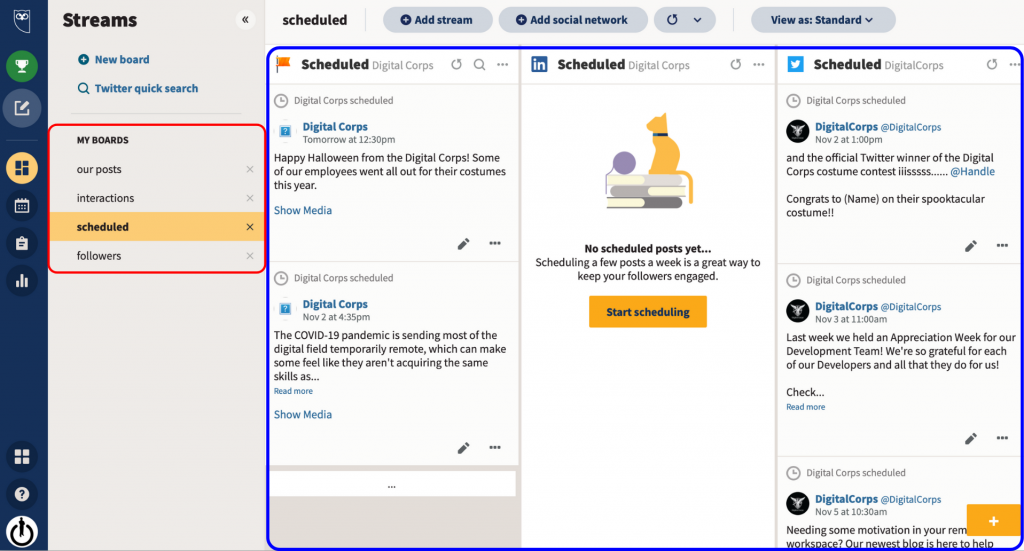
Hootsuite is organized by boards and streams. To access boards and streams, go to the sidebar, and click the Streams icon with multiple rectangles.
The Corps has four boards, called our posts, interactions, scheduled, and followers, lined up on the left side of the screen. Within each board, the Corps has streams, showing results from their Facebook, LinkedIn, and Twitter accounts. Our posts board shows live content whereas the scheduled board shows upcoming content scheduled to go live. The interactions board helps the Facebook and Twitter social media managers engage with other accounts because it shows posts from other users that mention the Corps. The followers board shows recent posts from the Corps’ Twitter followers, which can also help the Twitter social media manager engage with the Corps’ audience.
Scheduling
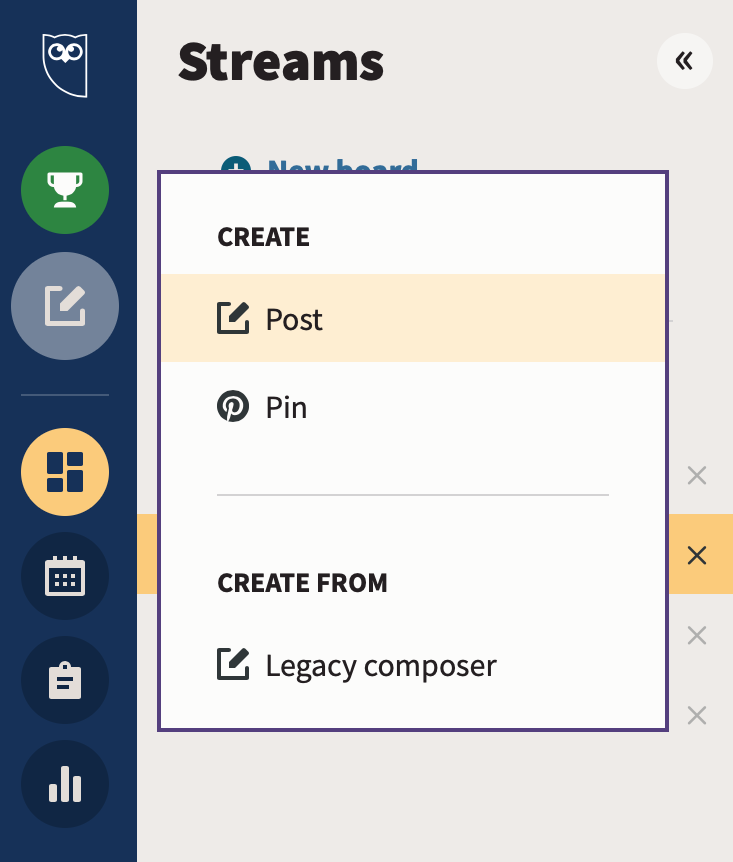
To schedule a post, click the pencil and paper Create icon on the left sidebar, and then, click Post.
A window will appear, and in the Post to dropdown box, select which account you want to post on. Then, in the Text box, type the text for the post.
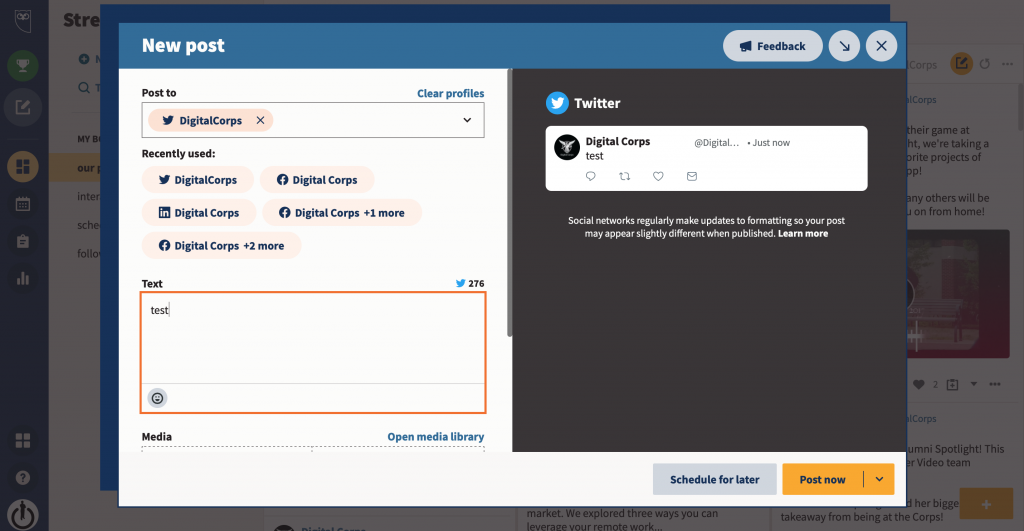
Social media posts with images perform better than those without images. To add an image, navigate to Media and either upload an image from the computer or from Hootsuite’s media library.
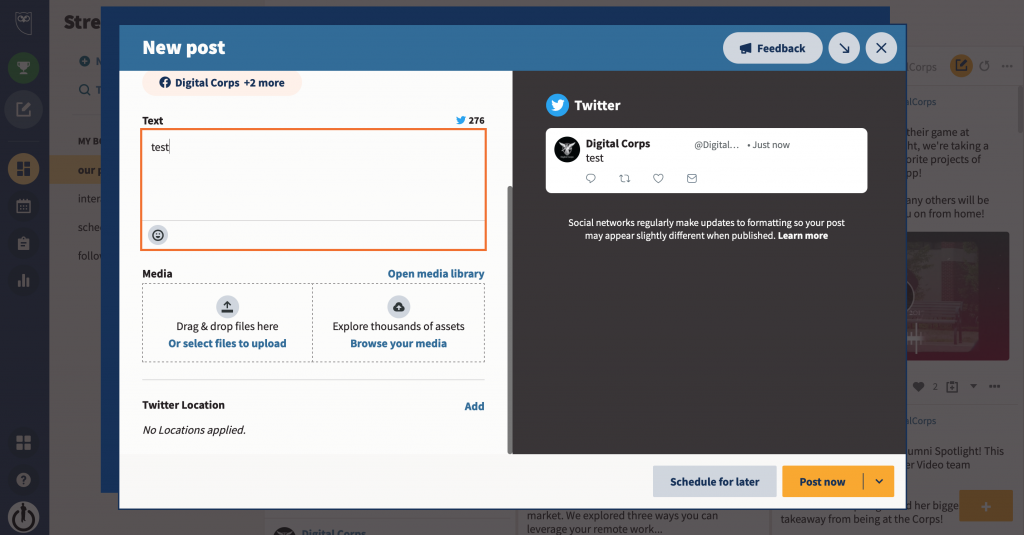
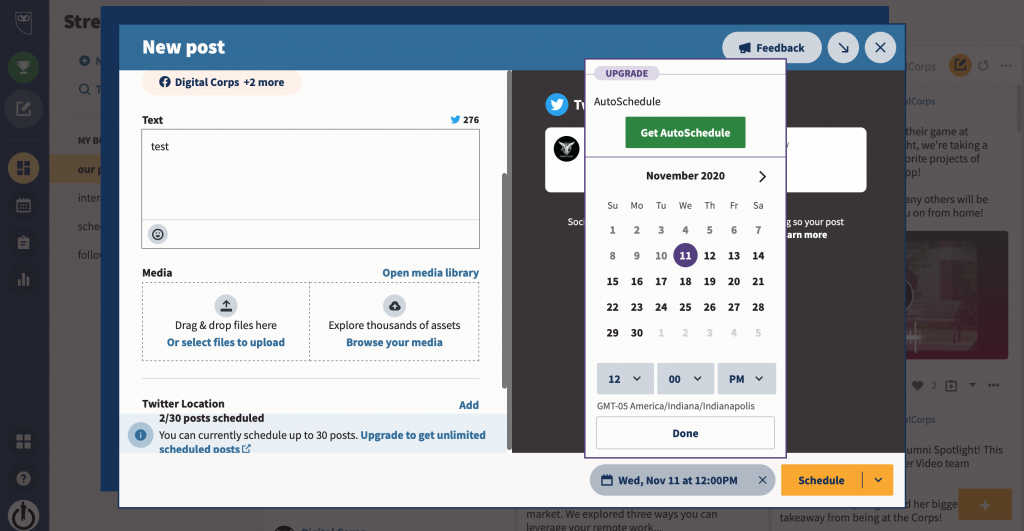
When the post is finished, select Schedule for later at the bottom of the screen. Select the desired date and time for the post to go live. Check the sample post on the right side of the screen one last time, and then, the post is good to go!
Quick Tip!
Looking to schedule an Instagram post? The Corps uses Buffer to schedule Instagram posts because the free version of Hootsuite only allows for three accounts.
Hootsuite is an important tool for the Corps’ social media managers. They mainly use the platform to schedule posts, but they also use it to review recent content and keep tabs on followers and engagement.
