Basecamp 101: For JPMs

Quick Tip!
Basecamp serves as the Digital Corps’s primary project management tool. As a JPM, it is one of your primary responsibilities to keep the project’s Basecamp up to date.
Helpful Staff for this Topic


Overview
This article will cover the following aspects of Basecamp:
- Basics of Basecamp
- How to Structure Your Basecamp
- Making Time for Basecamp
- Bonus Features (Going Above and Beyond)
- Working with your PM
Basics of Basecamp
Commonly Used Pages
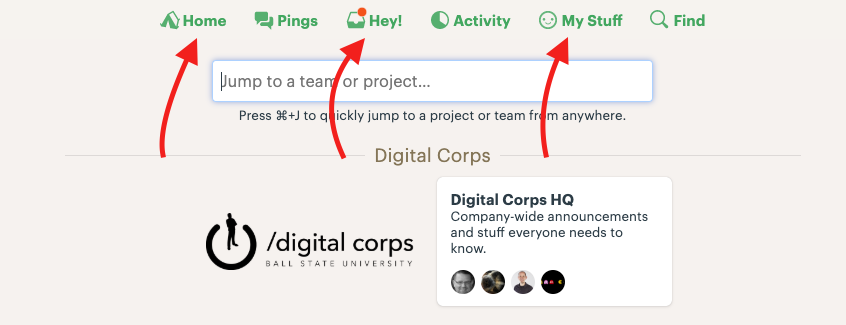
Home
The home page is where you can find a list of all of the Basecamps of which you are a member.
Hey!
Think of “Hey!” as the notification center of Basecamp. Check this often.
My Stuff
From “My Stuff,” you can navigate to “My Assignments” where you get a great overview of your workload.
Activity Page
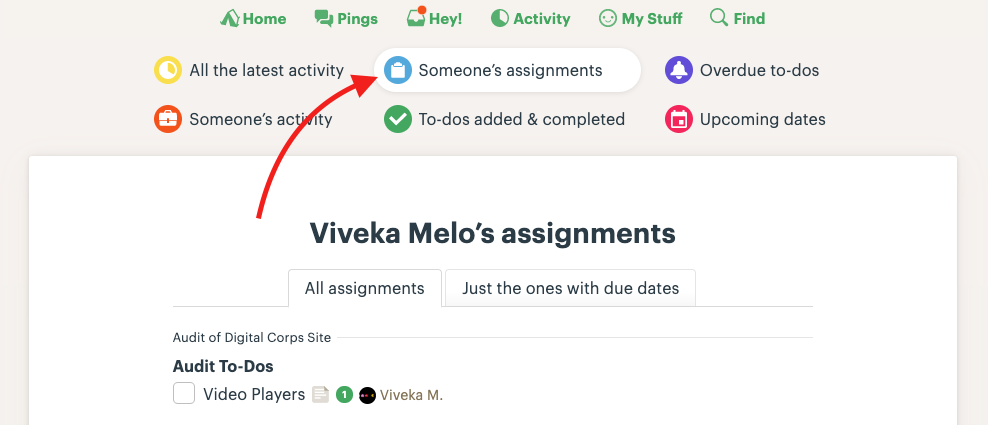
The activity page is the best place to see an overview of the Digital Corps Basecamp. You can see all overdue to-dos, upcoming tasks for all projects, and even an individual’s entire workload.
To see all tasks assigned to a specific individual, use the following path: Activity > Someone’s Assignments > Type their name
Quick Tip!
If you are completely new to Basecamp, you can schedule time with a PM team member or review Basecamp’s official help documents
Anatomy of a ‘Basecamp’
There are three important areas to be aware of when managing your Basecamp:
- To-Dos
- Add/Remove People
- Project Activity
To-Dos
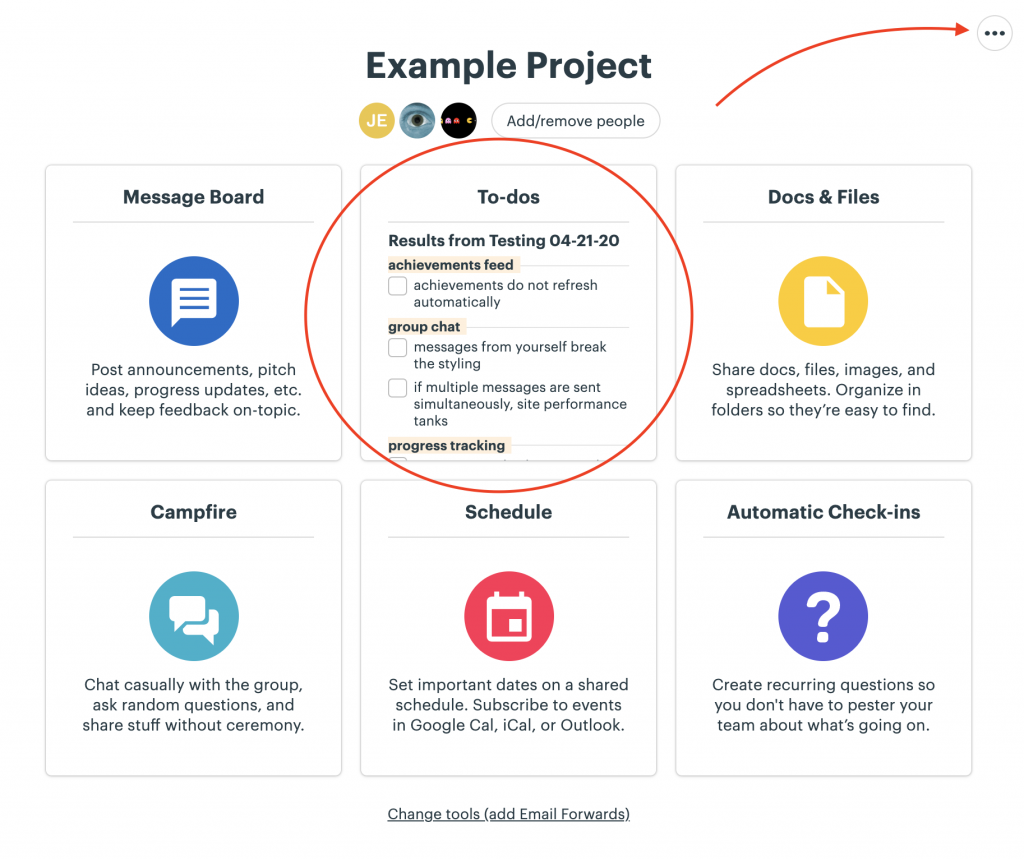
When a new Basecamp is created, 6 different ‘tools’ are displayed by default. At the Corps, you only need to maintain the “To-Dos” section.
Add/Remove People
Work with your PM to determine if someone should be added or removed from your project.
NOTE: You won’t be able to assign a task to someone who isn’t in your Basecamp.
Project Activity
Think of the project activity feed as a “Hey!” just for one specific project. Anytime anything happens in a Basecamp, its recorded in this feed. Activity is displayed chronologically.
Anatomy of a To-Do List
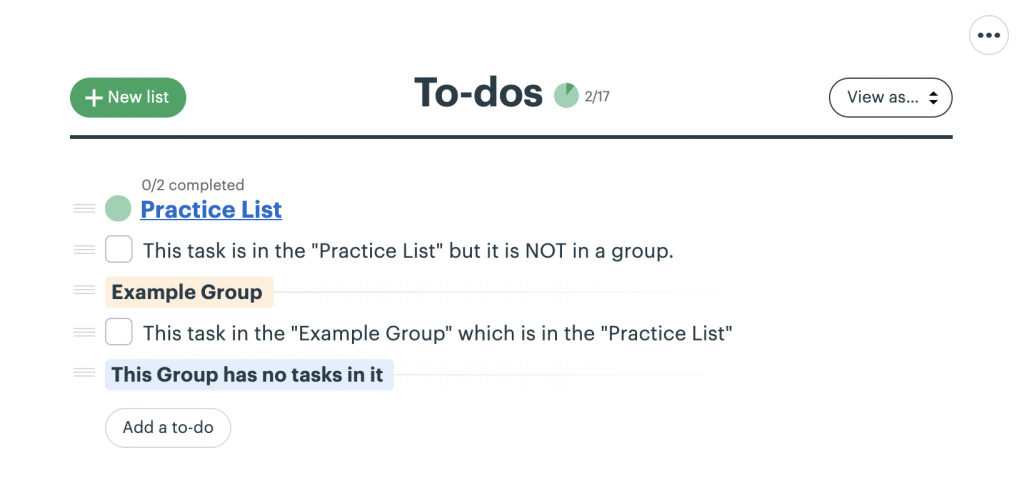
After clicking on “To-Do’s” from the homepage of your project’s Basecamp, you’ll see a page that lists out all of your lists.
On the To-Do’s page, there are three levels of hierarchy:
- A List
- A Group
- A Task
Lists contain groups and tasks. There should be 1 list for every deliverable in your timeline and/or scope document.
Groups are optional, so if it’s a simple list, you may not need to use groups. Think of groups as a list within a list. Groups help to create organization within a long list of tasks.
Tasks can either live within a group or directly in a list. Tasks are actionable goals that vary in scope. In general, try to break down larger processes into specific tasks.
How to Structure Your Basecamp
All projects should follow the same basic structure, however some projects may require a unique approach. If you believe this to be this case with your project, talk with your PM and decide on a plan together.
You should include in the following in all project Basecamps:
- a To-Do list for each deliverable
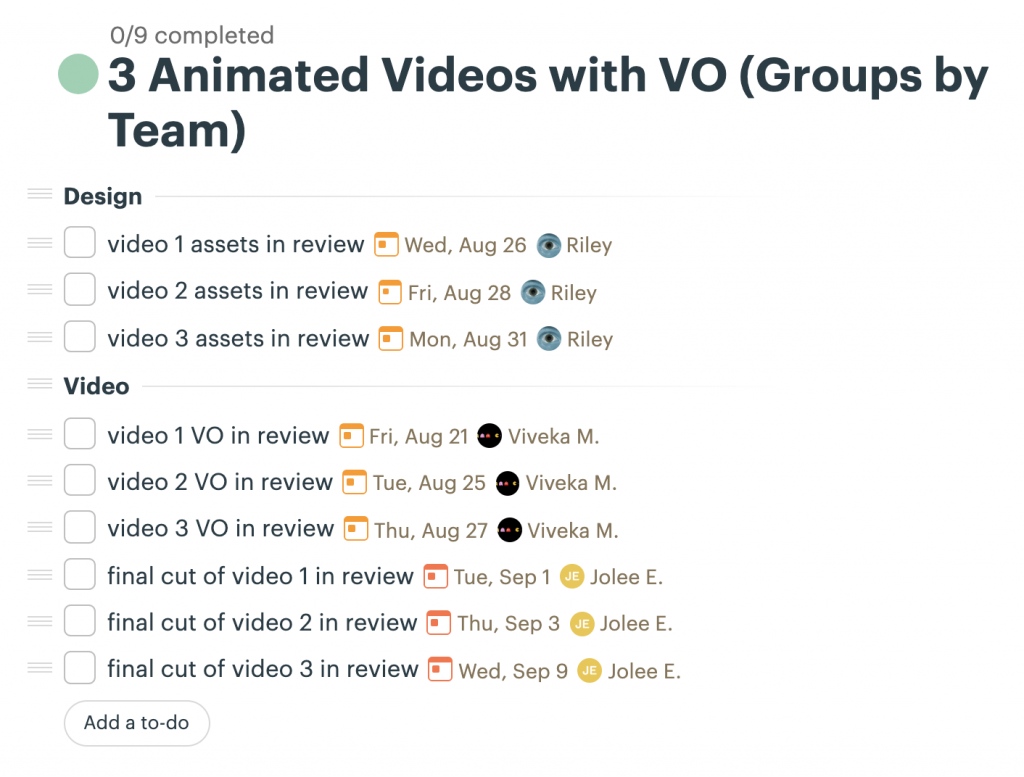
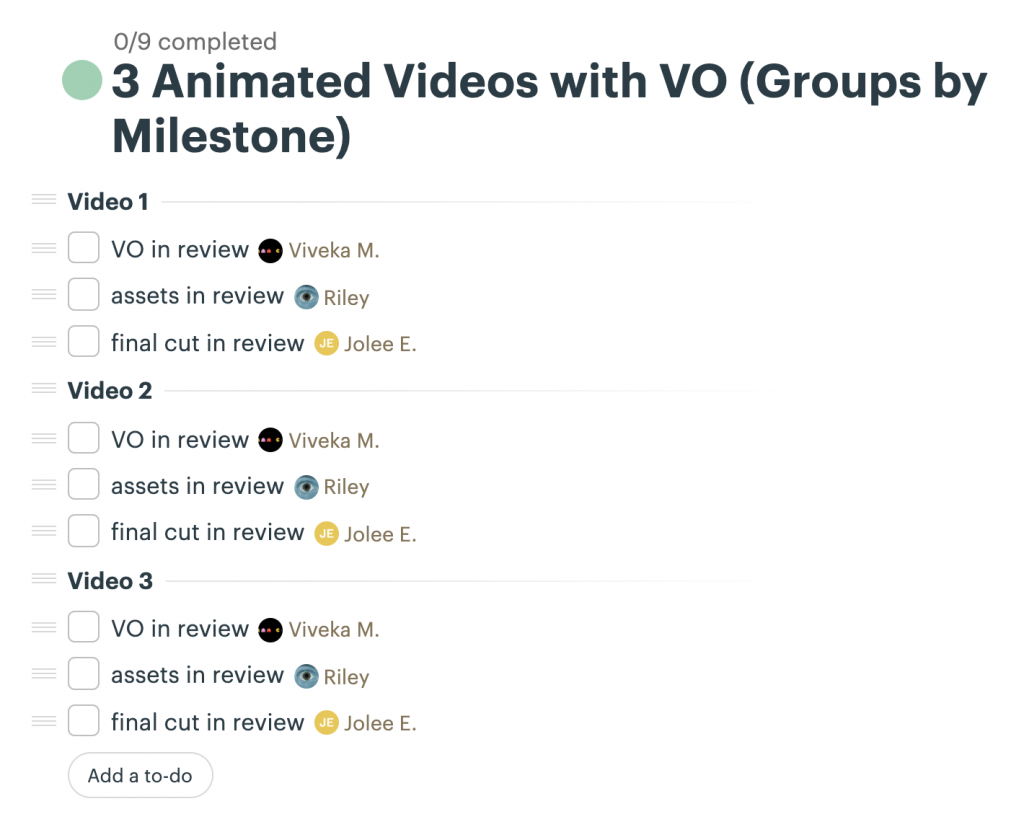
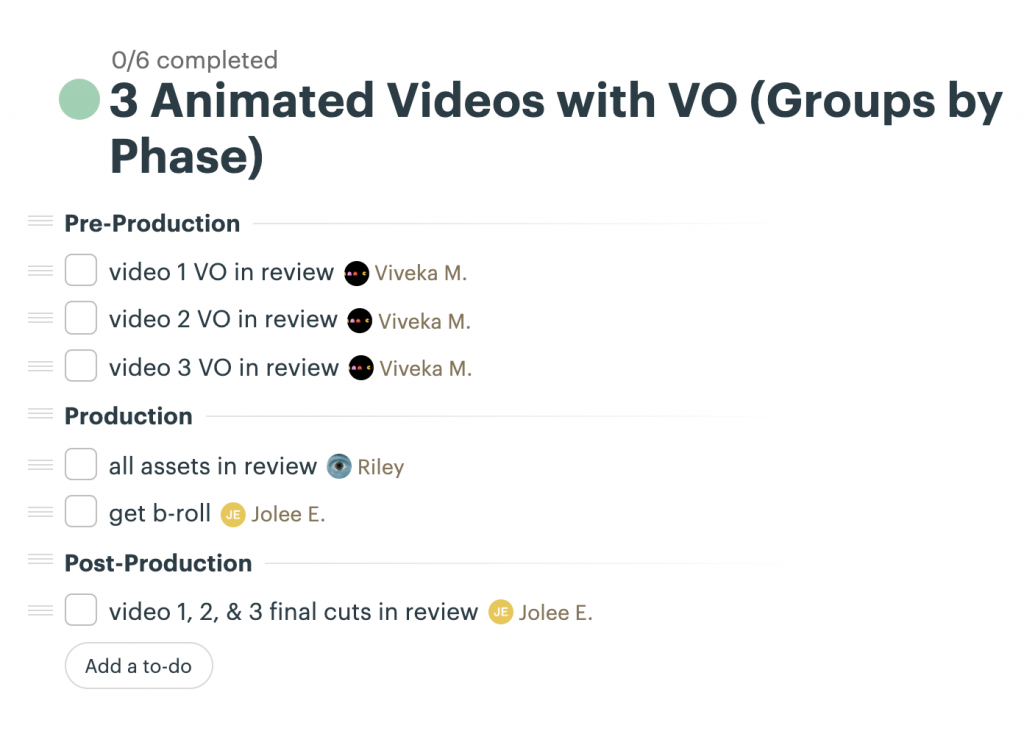
- groups by team, milestone, or phase
- tasks with specific due dates and someone assigned to them
- a record of due date extensions (why they were given and who authorized it)
In most cases, it is acceptable to have your team members check off their own tasks as they are finished. If you would prefer a different process, work with your PM to determine who should have the authority to complete (or ‘check off’) tasks.
Quick Tip!
Keep your tasks detailed and break down complicated tasks!
- Distinguish between “In Review By” and “Approved by” dates to help keep your team on track.
- Instead of “website design,” break it into chunks (Inspiration, Wireframes, Lo-fi, Hi-fi, etc).
- Try to assign only one person to each task so responsibilities are clear.
Making Time for Basecamp
As a JPM, you have to balance your own project workload with your JPM responsibilities. When planning out your week, remember to set aside specific time for Basecamp Management.
Give yourself at least 15 minutes each day to get caught up on your project’s progress.
Consistent upkeep of your Basecamps is especially important for remote work.
Working with Your PM
If you are ever unsure about how to structure your Basecamps, talk to your PM!
If you are ever unsure of a due date or who is assigned to what, talk to your PM!
If someone asks for an extension on a task, talk to your PM!
