Card Sorting 101

Quick Tip!
Because card sorting is so easy and fast, it should be included in any project in which you are creating a new website.
What is Card Sorting?
Card sorting is a method of UX research that yields quantitative and qualitative results. It is most often conducted at the beginning of a project to determine a site’s information hierarchy and organization.
This is one UX method that overlaps heavily with the Communication Team, since it is all about creating and organizing effective web content.
Generally speaking, a test proctor would ask a participant to sort through a set of cards, each of which represent a piece of content.
Based on the results of a card sort, you create a site map and identify if there are any missing pieces of content.
Why Use Card Sorting?
An effective card sorting session reveals a person’s internal thought process and helps the project team to understand how content is viewed by actual users.
Card sorting is a fast and relatively cheap process, since participants are typically Digital Corps employees.
When reported correctly, card sorting also yields some of the most digestable results for non-UX teams.
Example Use Cases
There are two situations where card sorting is most common:
- the creation of a new site
- the revision of an existing site
Creating a New Site
If your project involves creating a site from the ground up, you will definitely want to include card sorting in the timeline.
Sometimes, clients have a site map in mind, or they may even have all of their content already written.
Be sure to communicate with the client to identify any essential content. Depending on the scope of the project, there may be certain pieces of content that are required (and can’t be modified or changed).
Revising an Existing Site
Sometimes, the Digital Corps will help redesign a site. Sites on the main Ball State website are often restricted in their design. When conducting card sorting for these projects, redesigns tend to focus on reorganizing content, rather than creating a new visual style.
Card sorting is perfect for this!
Other Use Cases
There may be other situations in which your UX Team member identifies card sorting as a useful research method. Discuss the possibility early in the project process, so that there is time reserved in timeline.
Considering Your Timeline
The below estimates are based on a typical school semester, with employees working part-time.
When planning for card sorting, there are five main components to consider:
- writing a card sorting plan
- creating a card set
- scheduling card sorting
- conducting card sorting
- writing a digestible report
Writing a Plan
Depending on the scope of the project and your team’s workloads, a UX team member can submit a plan for review in 4-5 days. The review process for plans takes roughly 2-3 days.
Overall, a plan can be created and approved in about a week and a half.
Creating a Card Set
The set of cards that a participant sorts is the meat and potatoes of this method. The card set is typically created by reviewing existing or proposed content and breaking it all down into individual cards.
For example, a client may say, “The site should have our Twitter, Facebook, and LinkedIN accounts“. This can be shortened to “social media accounts” and written on an index card.
Depending on the amount of content and the number of team members working on it, this process can last from 1-2 weeks.
The card set should go through an approval process.
Scheduling Card Sorting
Testing with Digital Corps employees is always faster than recruiting outside participants. However, some projects require a unique perspective so you should consider the recruitment of outside participants.
When scheduling Digital Corps employees, the UX team can schedule the 10 necessary people to participate in 1-2 days, depending on everyone’s schedules.
NOTE: this does not mean that all participants will be tested in 1-2 days, simply that participants will be chosen and times for their sessions will be scheduled.
When scheduling outside participants, this process is much more variable, and could last anywhere from two weeks to a month.
Conducting Card Sorting
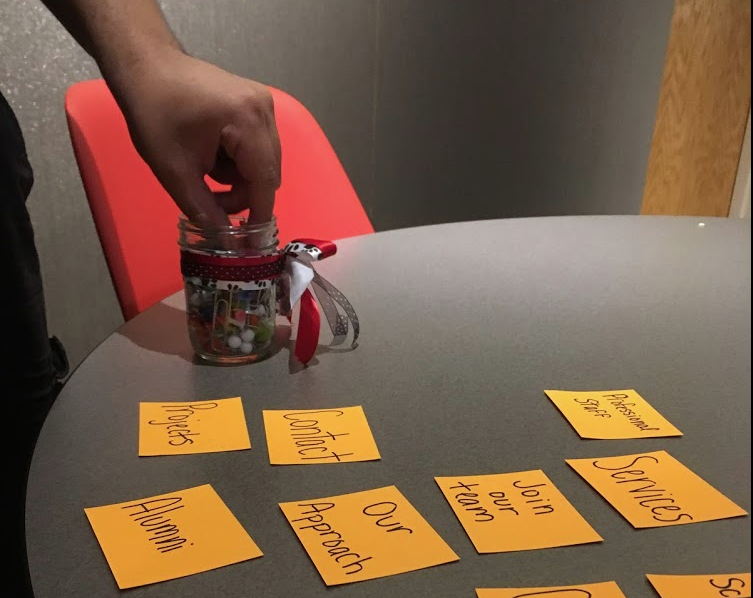
Card sorting sessions are conducted with one participant at a time. Each session should be scheduled for 30 minutes, although some participants will be faster than others. This means that your UX team member will be dedicating a minimum of five hours to this process. It usually takes 1-1.5 weeks to get through all 10 sessions.
Writing A Digestible Report
For all of its benefits, card sorting results can be cumbersome to interpret. Novices to the method can easily get overwhelmed when trying to create a digestible report.
Creating a report should take roughly one week. The review process can last anywhere from two days to a week.
Once the report has received final approval, the primary findings and recommendations should be discussed in the next team meeting.
Interpreting Results
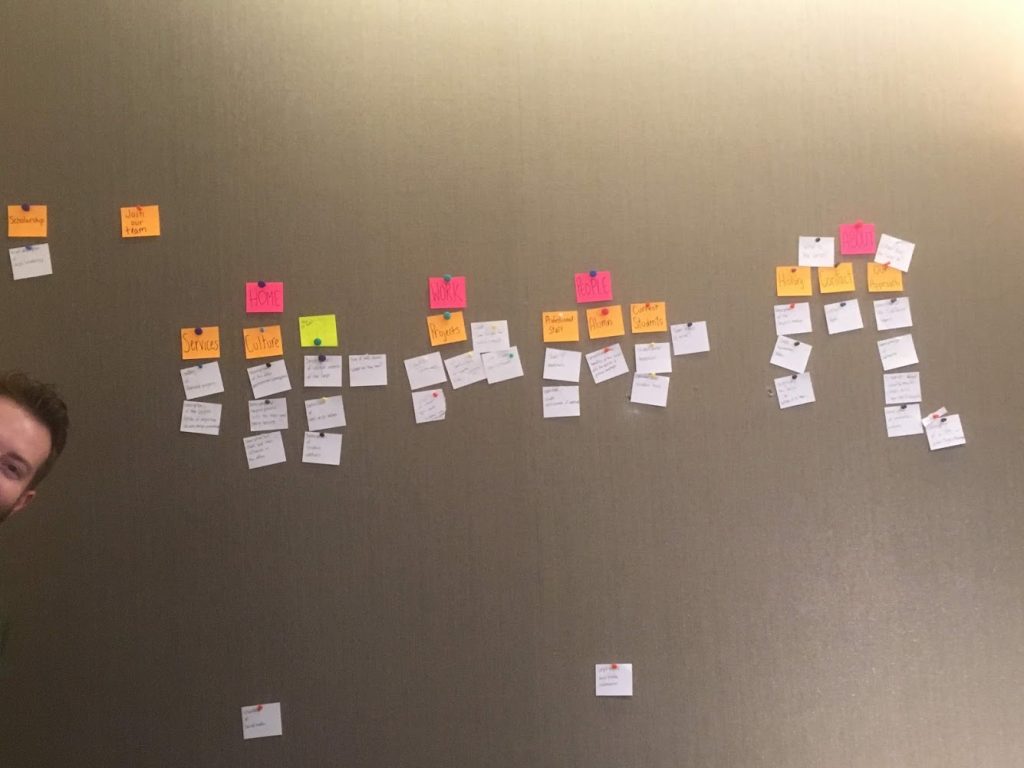
With all reports, the UX Team includes clear next steps at the very end of the document. Beyond that, reports can vary from method to method. Card sorting results can be intimidating, depending on how they are presented. You’ll likely see several matrices which are tables that show the frequencies of how cards were grouped together.
Check out this example card sorting report to get a better idea of what to expect.
If you find yourself confused about the content of a card sorting report, or if you are unsure of how to review a report, you can do a couple of things. First, reach out to your UX team member and ask them to give a walkthrough of the report.
Additional Articles:
This article is part of a series:
-
1
Card Sorting 101
-
2
How to Conduct Card Sorting

-
3
Writing a Card Sorting Report