Safe Margins

Quick Tip!
Video and Design Team members should work closely together to properly place graphics in the native frame size for the video. If the video is 1920×1080, create the artboard at the same size.
Helpful Staff for this Topic


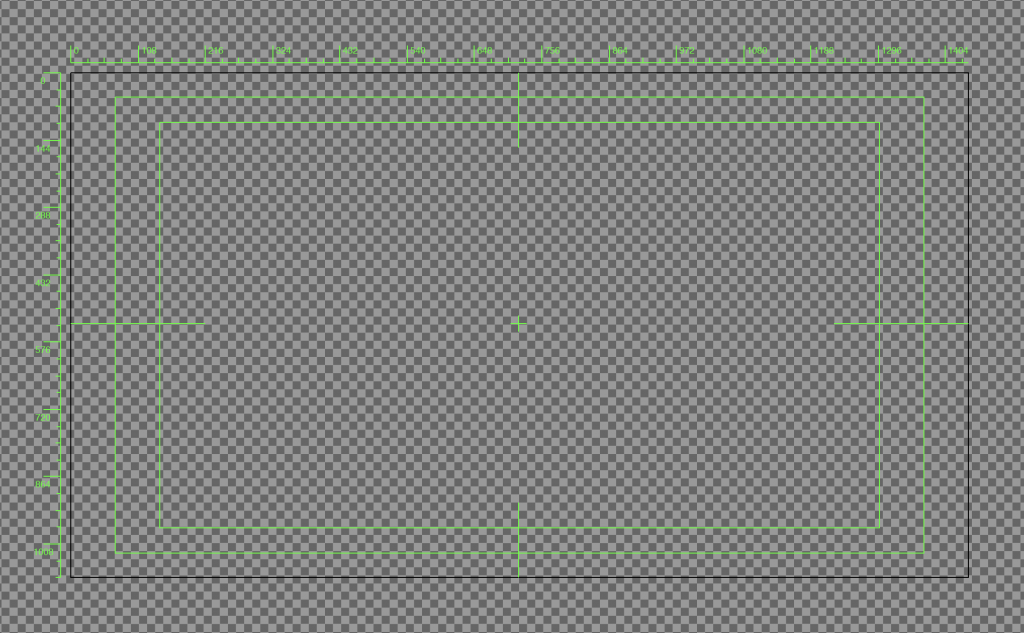
The Digital Corps uses lower thirds to identify people on screen. These lower thirds are placed on a guide known as a margin to ensure the information is visible on any screen. Older televisions sometimes cropped the image at the edges, which meant information and graphics were sometimes missing! In response, the Society of Motion Picture and Television Engineers created title safe and action safe margins to ensure information remained within a safe space and would not cropped due to the size of the television.
Today, title safe and action safe margins are still considered a best practice. Even if the content is not created for television, it is still best to follow these guidelines to account for accessibility and different smart device screen sizes.
Title Safe Margins
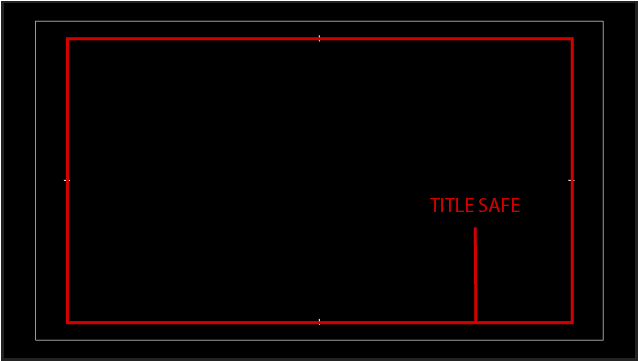
The title safe margins are very important and all relevant text (i.e., a person’s name or the top line of text) should appear within these lines.
Title safe margins are at 80% of the screen.
Action Safe Margins
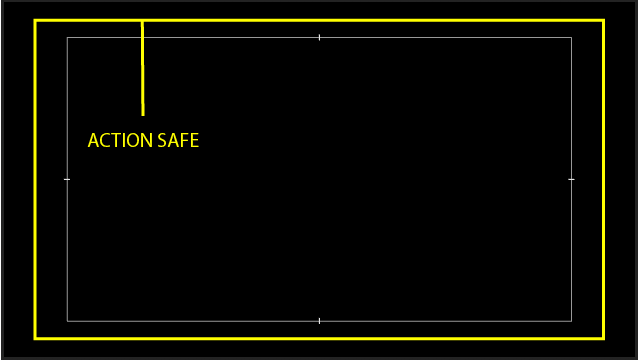
The action safe margins are for aesthetics and all relevant action, graphics, or secondary text (i.e., a person’s title) should appear within these lines.
Action safe margins are at 90% of the screen.
How to use Safe Margins with the Adobe Suite
Adobe Premiere Pro
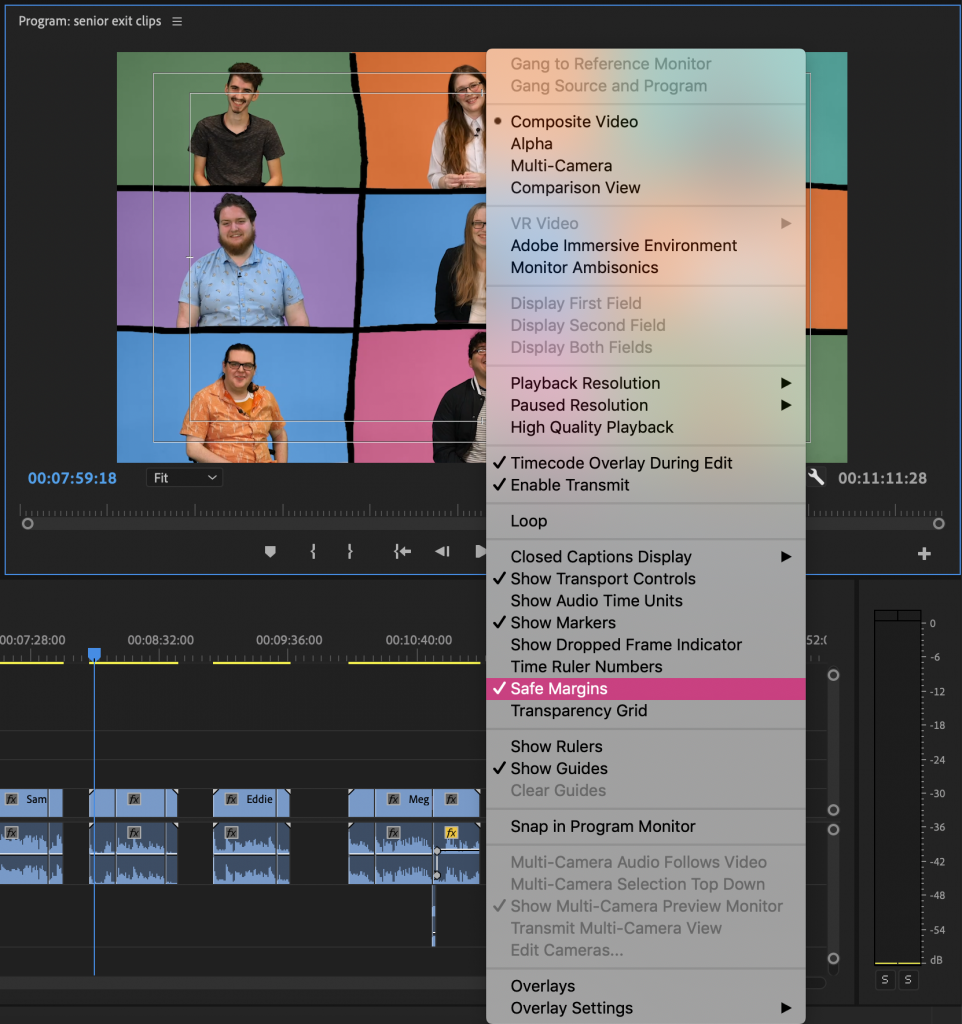
- Click on the gear in the Program Monitor
- Turn on “Safe Margins”
Adobe Illustrator and Photoshop
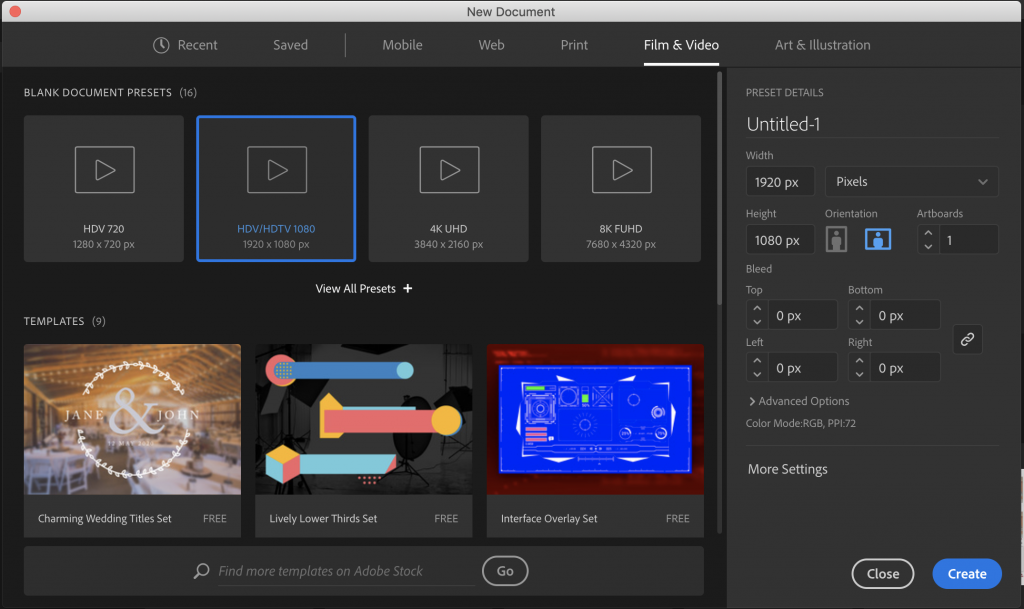
- Create new document
- In the “Film & Video” tab, pick the 1920 x 1080 preset
- The guides will be preset on the project
Lower Thirds
Design Team members on the projects will often provide a template or completed lower third to insert into the video. Place the lower third on the opposite side of the subject and within the action safe margins.
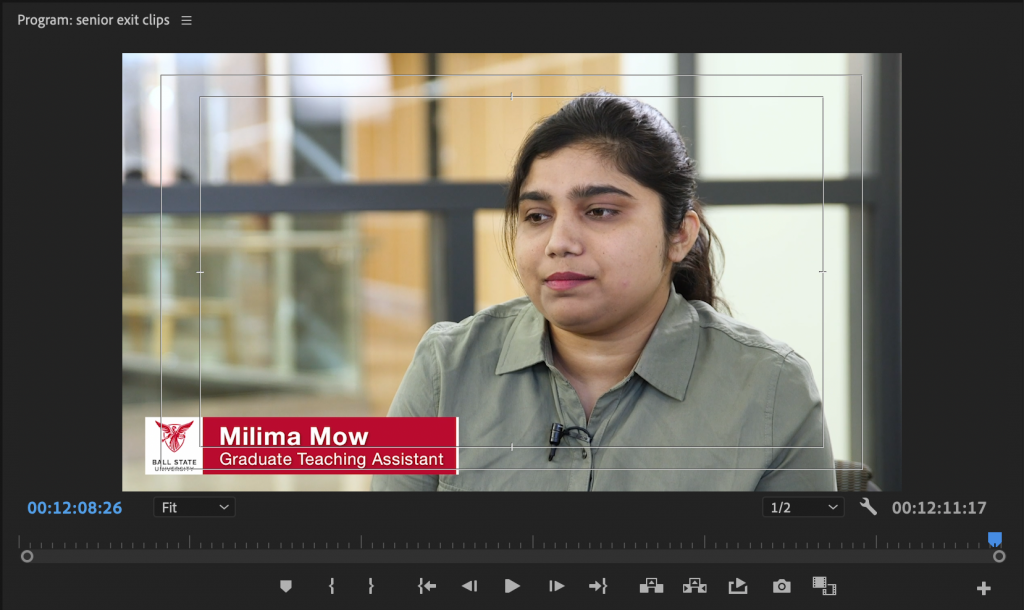
If the video you’re creating is supposed to be Ball State branded, use the template on OneDrive.

Check out these templates:
-
BSU Brand – Lower Thirds Titles Template :
https://ballstate.app.box.com/s/li3ms9qkrg6d8z6o1bu1sd5vi2rj6hw4
