How to Conduct Card Sorting

Quick Tip!
Card sorting is just one of many testing methods used by the UX Team. To see all the methods they use, check out the “Research” section in the sidebar!
Helpful Staff for this Topic


A Refresher on Card Sorting
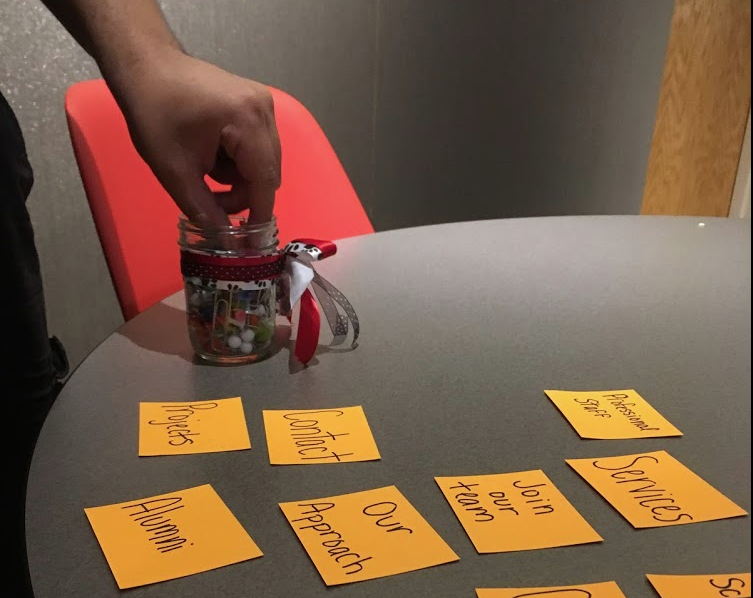
Card sorting is conducted at the beginning of a project when the team first identifies content and its organization. To begin the process, a UX Team member creates a set of cards, each of which represent a piece of content. Then participants are instructed to sort those cards in whatever way makes sense to them.
If you’re unfamiliar with the concept, or if you’re especially rusty, check out “Card Sorting 101” for a more in-depth look at the basics of card sorting.
How is it Conducted?
As with many methods of user experience research, card sorting requires two things: a test proctor and a set of participants. Aim for approximately 10 participants when recruiting for card sorting.
Set-Up
Before the proctor can recruit participants, they need to identify all potential pieces of content for the site. It is most common for this content to be determined in collaboration with the project’s client(s).
Once content has been defined, it needs to be broken down into simple phrases and then written down onto individual note cards.
For example, a client may say, “The site should have our Twitter, Facebook, and LinkedIn accounts“. This can be shortened to “social media accounts”.
Do this for all content. A typical card sorting study can have anywhere from 30-60 cards.
This process can be completed with help from the Communication Team. Make sure to have a refresher on the purpose of card sorting as well as the expected language for the cards to make sure everyone is on the same page.
Open Vs. Closed Card Sorting
Card sorting can be conducted in one of two ways: open and closed. An open card sort means participants will have complete freedom when deciding how to organize the card set. They can create as many groups that make sense to them. This is the more traditional approach to card sorting.
In a closed card sort, the project team provides a set of predetermined group labels the participant must use to sort the card set. This method is used most commonly in the evaluation of pre-existing systems.
Both variations have their merits. If it is unclear which method would work best, you can read about card sorting on the Nielsen Norman Group website.
Procedure
- The test proctor provides background information on the project. Participants learn about the basic goals and objectives of the given system.
- Then the participant is given the card set and instructions from the proctor.
- After the proctor gives the card set to the participant, they should let the participant work at their own pace. Some people can sort through a whole set in six minutes, while someone else might take a full 30 minutes. NOTE: Schedule testing to allow time for the slowest participant. Rushing a participant can compromise their thought process.
- When a participant notifies the proctor that they are complete, the proctor should ask follow-up questions. The follow-up questions may differ depending on the variation used as well as the scope of the project. These questions should always focus on understanding the participant’s organizational reasoning.
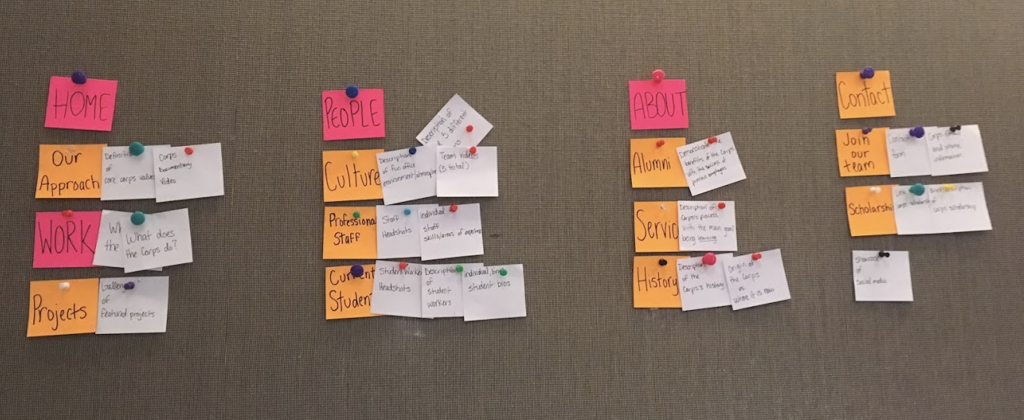
- Finally, before ending the session, the proctor should make a permanent record of the participant’s card sort. Often, this takes the form of a photo.
Quick Tip!
While it is acceptable to provide clarity if a participant is unsure of what a card represents, it is extremely important to avoid leading and/or biased language.
For example, if a participant asks, “What does the card, social media icons, represent?”
Do: provide additional information, such as “The icons would link to the site’s different accounts.”
Don’t: give hypothetical examples of where the content might be located, such as “Imagine those icons you always see in a footer.”
Reporting
For all of its benefits, card sorting results can be cumbersome to interpret. Novices to the method can easily get overwhelmed when trying to create a digestible report.
To see all of the important details of card sort reporting, check out the next article in the series!
Additional Articles:
This article is part of a series:
-
1
Card Sorting 101

-
2
How to Conduct Card Sorting
-
3
Writing a Card Sorting Report